
Machine Control Systems
Connect machine guidance, positioning and design data around the work your crew needs to complete. Explore machine control options with Horizon Measurements.
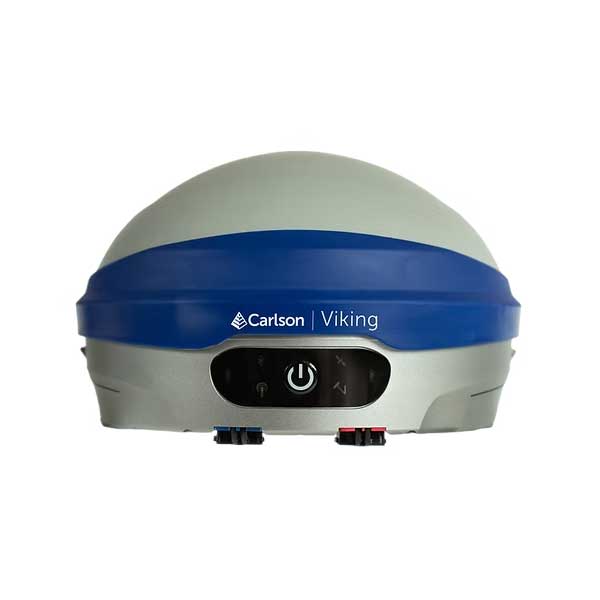
A practical guide to your next decision.
Machine control and guidance systems help operators relate the machine or working tool to a reference grade or digital design. The configuration can vary substantially by machine, application and positioning method. Confirm whether the proposed setup provides guidance, automatic control or a combination of capabilities.
A successful workflow also depends on the design model, site control, machine setup and operator process. Horizon’s catalogue includes Carlson machine control options. Start with the machine make/model, the work being performed and the data available rather than assuming that one package fits every installation.
Match the solution to the task.
Dozer grading
Discuss grade requirements, machine compatibility and whether guidance or automatic control is appropriate for the work.
Excavation
Review digging tasks, reference surfaces and tool positioning. Confirm the sensors and machine-specific configuration.
Site supervision
Connect field verification with prepared design information. Discuss how supervisors and machines will use consistent site data.
What to compare before you decide.
| Consideration | Where it fits | What to confirm |
|---|---|---|
| 2D workflows | Reference grade or slope tasks | The reference method, application limits and required components. |
| 3D workflows | Work relative to a digital design | Positioning, control, model preparation and supported machine configuration. |
| Data preparation | Reliable field design information | Coordinate system, surface quality, revisions and export compatibility. |
Specifications, compatibility, availability and included items depend on the exact equipment or service configuration. Ask our team to confirm the details for your project.
Bring the workflow together.
Identify the machine and task
Share make, model, year, attachment details and the type of earthwork.
Check installation and positioning
Discuss compatible hardware, positioning requirements and the proposed operational scope.
Prepare and verify site data
Review models, control and checks with the crew before production use.
Frequently asked questions
Is machine guidance the same as automatic control?
No. Guidance provides information for the operator. Automatic control can adjust supported machine functions. Available capabilities depend on the installed system and machine.
Do all 3D systems use the same positioning method?
No. Positioning options vary by equipment and configuration. Confirm the method, correction requirements and site limitations for the proposed setup.
Can I use my existing design files?
They may require checking, cleanup or conversion. Confirm accepted formats, coordinate systems and field-ready outputs for the specific system.
What should I send for a machine control quote?
Send the machine details, attachment, application, site conditions, existing positioning equipment and sample design information if available.
Discuss machine control options.
Tell us about the work, your existing equipment and your timeline. We’ll help you identify the next step.